How to think about Opscotch
There are good examples of the kind of problems Opscotch is solving in the Overview
As you get to know Opscotch and its abilities, you'll likely find that it can be used for more than what we present here. It can support many kinds of automation, but this page focuses on its core use case: collecting data to answer an observability question.
Using the Opscotch platform, you take a problem, break it down into steps, codify and test it, then run it continuously to answer your questions.
What you can do with Opscotch
Use Opscotch when the data you need exists, but the system that holds it does not answer your observability question directly.
The question (or problem statement) will be something that you want to know, and the answer should be something that can be measured, something like:
- How many services do not meet minimum compliance?
- How many users don't use Multi Factor Authentication?
- What is the minimum amount of disk available across our fleet?
- Are the data retention policies actually working on that system?
- Can I go home? That is, does my timesheet have enough hours for the week?
- Has someone booked my holiday home? What is the occupancy rate?
In all of these cases, Opscotch answers a measurable question by gathering raw data from one or more systems and producing a derived result.
The important concept is simple: the raw data exists, but the service that hosts it does not provide the feature or function you need directly. Opscotch pulls the data together and turns it into something useful.
The moving parts
At a high level, Opscotch has four main parts:
- The runtime: the deployed Opscotch component that executes workflows inside the target network.
- The bootstrap configuration: the customer-controlled local configuration that defines what the runtime can access.
- The workflow configuration: the portable logic that tells the runtime what work to perform.
- The Opscotch configuration service: the service that stores workflow configuration for the runtime to fetch.
The runtime and the bootstrap configuration are installed into the target network.
The workflow configuration is authored and deployed to the Opscotch configuration service.
The runtime loads and executes the new configuration.
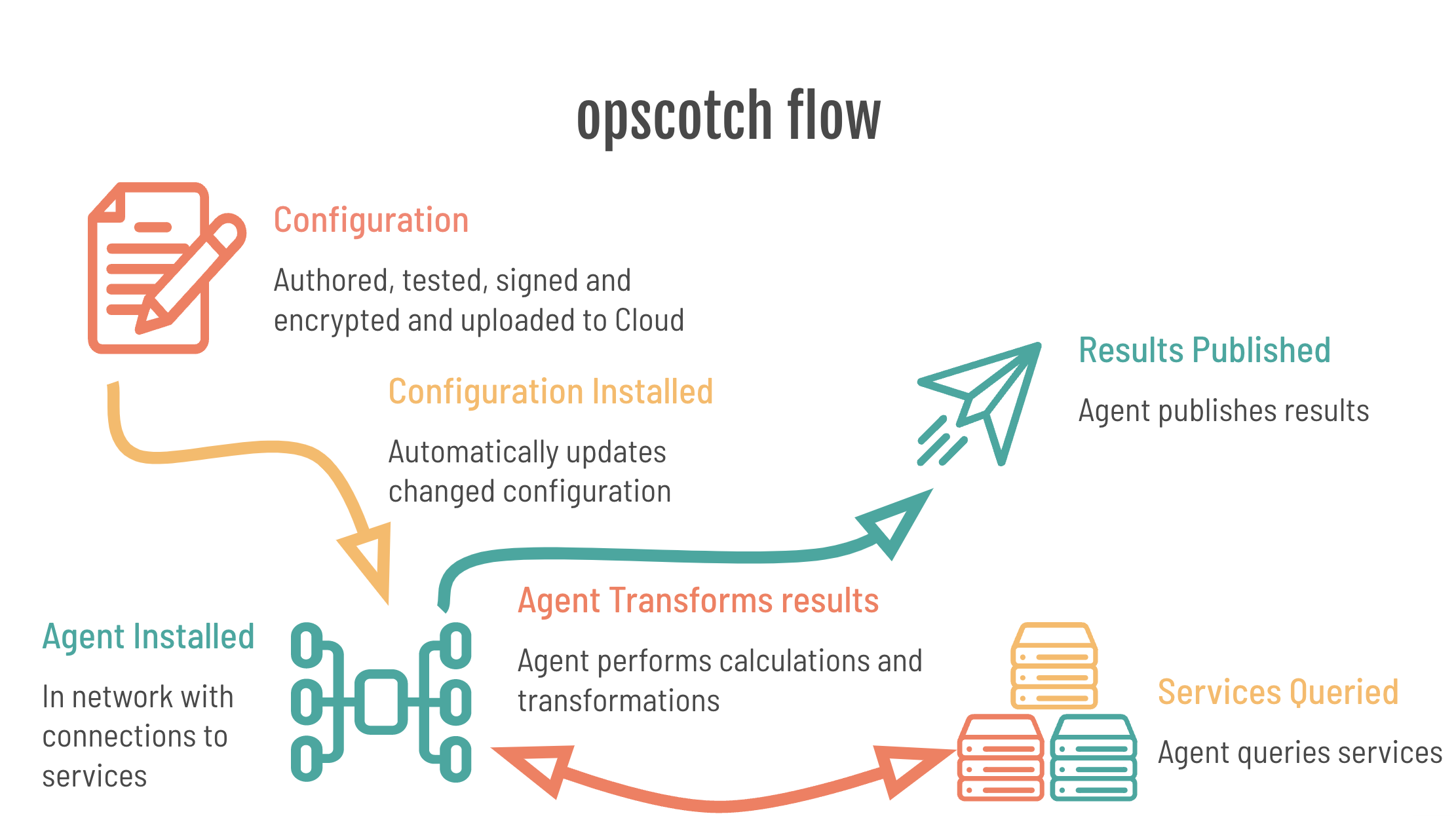
The runtime
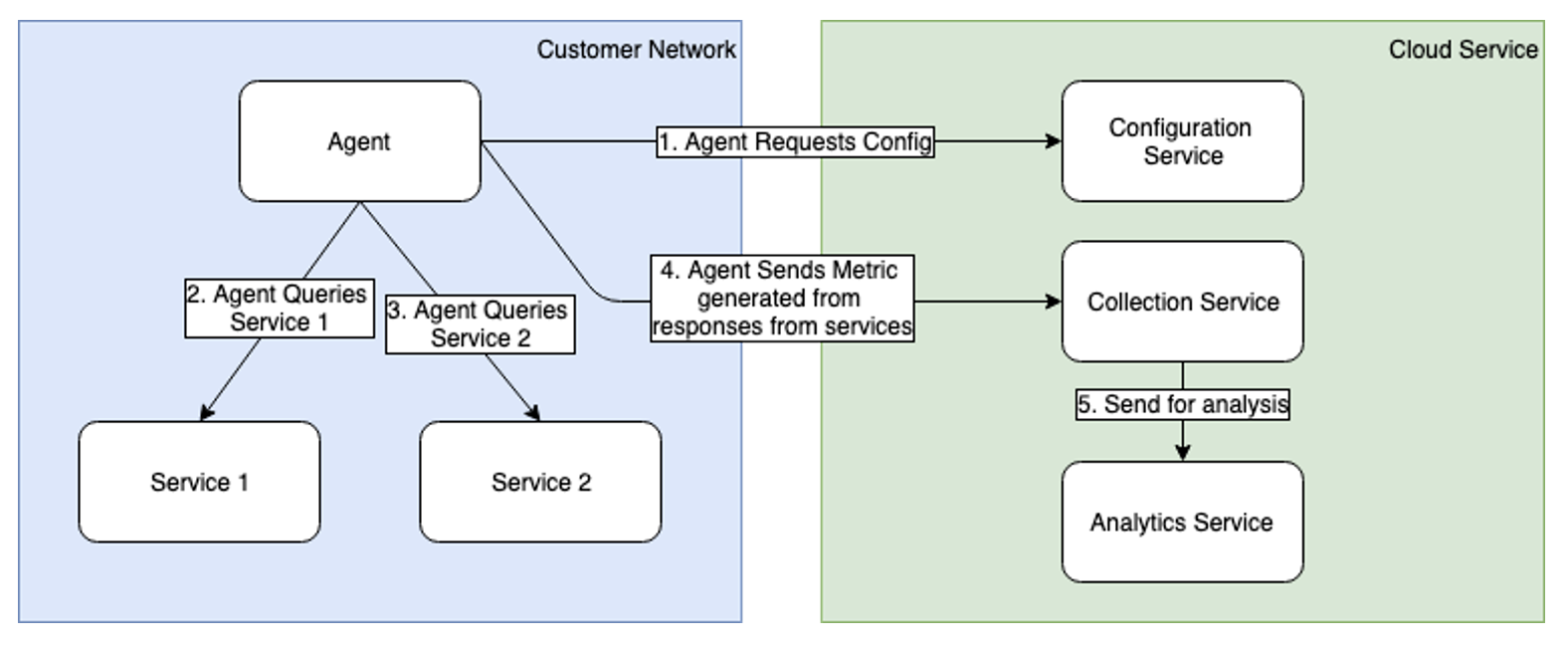
The Opscotch runtime is installed as a single, dependency-free binary on a host or container that has network access to the services to be monitored. It communicates regularly, using outbound connections only, with an Opscotch configuration service that issues configuration updates and receives metrics sent from the runtime.
The bootstrap configuration
The bootstrap configuration is a runtime-local configuration that creates a container for workflow configurations. It is also used to define the following:
- a private key used to decrypt the workflow configuration
- information to identify the runtime
- information on how to load the workflow configuration
- information on how to handle startup logs and errors
- information on hosts this runtime can communicate with
- secrets such as credentials
The bootstrap is intended to be owned and updated by the customer. Workflow logic cannot change it or access it directly, so the customer retains final control over what workflows can use.
For example, workflows do not define the hosts they connect to. Instead, they refer to a host definition in the bootstrap, and the workflows never see the host URL or credentials directly.
The customer can also define an allowed pattern of URLs and HTTP methods that workflows can execute. This acts like an internal firewall.
The workflow configuration
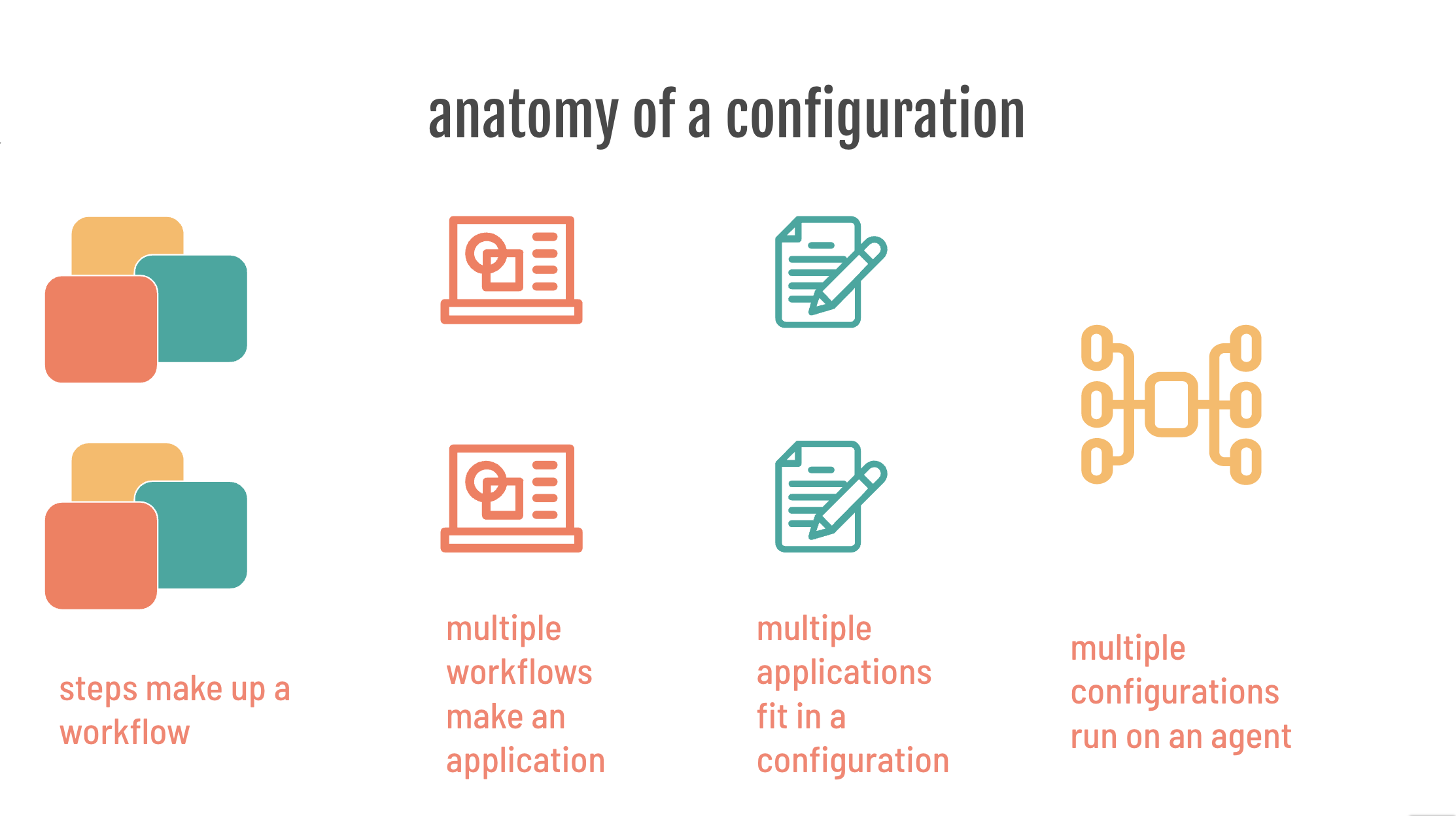
The workflow configuration is where the observability logic resides. It contains one or more workflows, and each workflow contains one or more workflow steps. Workflows are authored, tested, signed, and encrypted before they are uploaded to an Opscotch configuration service, where the runtime fetches them.
Workflows are made up of one or more execution steps that form a chain, or more technically a directed graph of steps. Each step performs a task by combining four templated functions:
- URL generation
- payload generation
- authentication
- results processing
Together, these four functions support the three-stage HTTP request lifecycle used by a workflow step: prepare the request, execute it safely through the runtime, and process the response.
Using this template, you can work with any combination of HTTP data sources and authentication methods, then process and publish data.
Workflows are designed to be generic. They contain no customer-specific information and no full URLs. Paths may be included, but the bootstrap provides service-specific connection details.
The same workflow should work without modification across multiple instances of the same service. The bootstrap supplies the details for each specific instance, and the runtime merges those details during execution.
Because workflows may be authored and published outside the customer environment but still run inside the customer network, the runtime treats them as untrusted.
The trust model is straightforward: workflows are treated as untrusted, the bootstrap controls what they can reach, and the runtime mediates every external action.
However, several safeguards reduce that risk:
- Workflows pass through two layers of cryptography. One proves the workflow was produced by Opscotch software. The other proves it was produced specifically for the customer.
- This prevents delivery of the wrong configuration to the wrong runtime and helps prevent tampering with an authorized configuration.
- Each step runs in an isolated execution context inside the runtime.
- A step can only work with data the runtime provides and return data to the runtime. It cannot make HTTP calls or access files directly.
- Steps can only request runtime actions through a tightly controlled interface.
- Multiple workflows are isolated from each other and cannot interact with each other's steps.
The Opscotch configuration service
The Opscotch configuration service is a place to store configuration that the runtime has access to. It might be hosted locally by the customer or they might choose to use a partner-hosted solution.
An example
Let's run through a quick example.
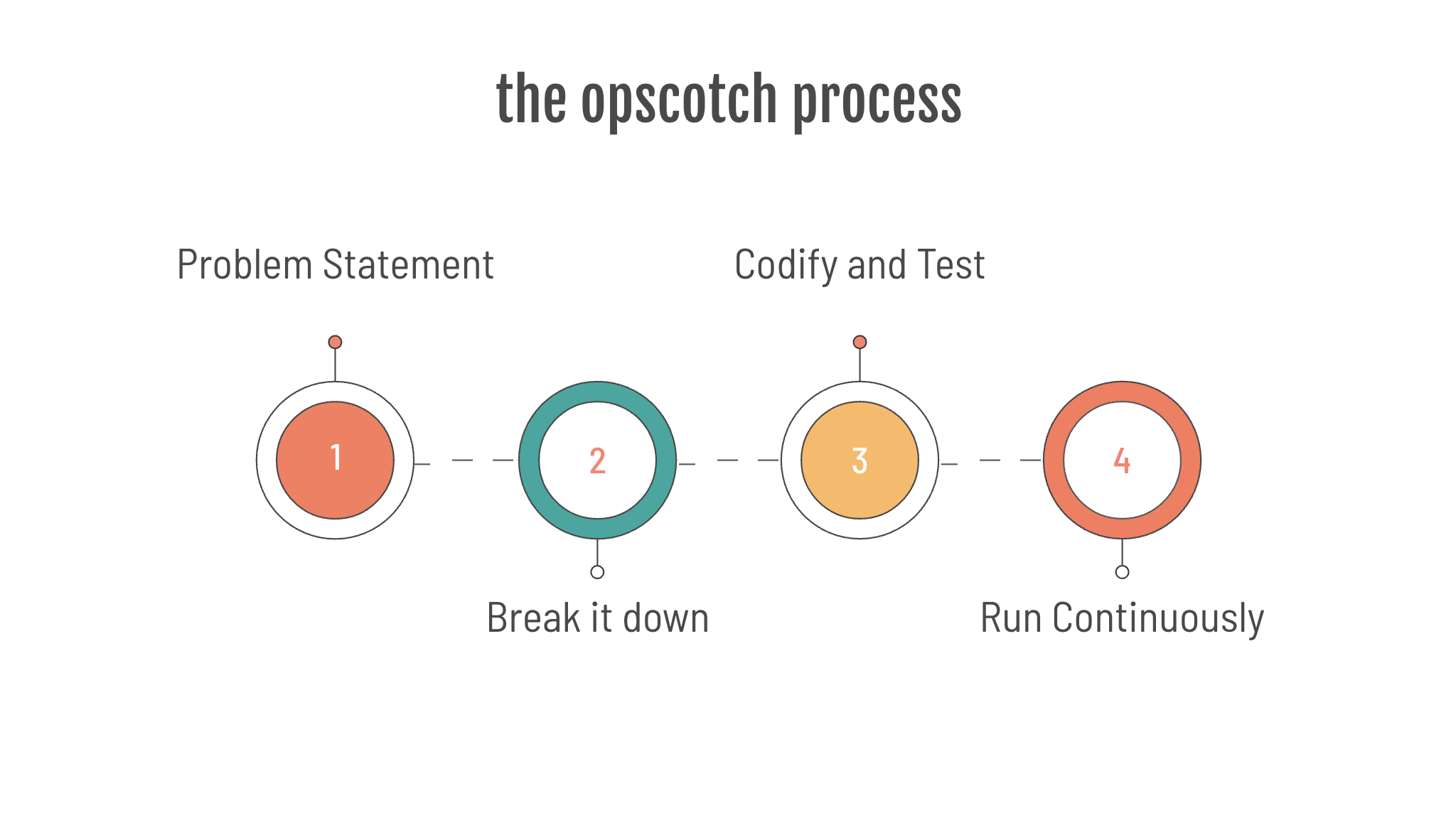
To be successful with Opscotch you need to:
- know the problem statement AND how to solve it using data within reach of the runtime.
- break down the problem solving process into discrete steps.
- codify the discrete steps into Opscotch workflows, with tests to prove they work.
- deploy and let Opscotch do the rest.
1. The problem statement
Your manager comes to you:
"Projects keep going over budget! Our SaaS project software doesn’t tell us what we need to know, when we need to know it."
You gulp because you know how painful this will be:
“I’ll need you to login and make a list. Have the report on my desk in the morning!”
And you know how repetitive it will be:
“Every morning!”
This is the kind of repeated reporting task Opscotch is designed to automate.
2. Break it down
Let’s break it down…
- There are many projects to track
- We’ll need to check each project
- We’ll produce a metric for each project to show whether it is within budget
- We’ll do this daily
Technically speaking, we know how to do this:
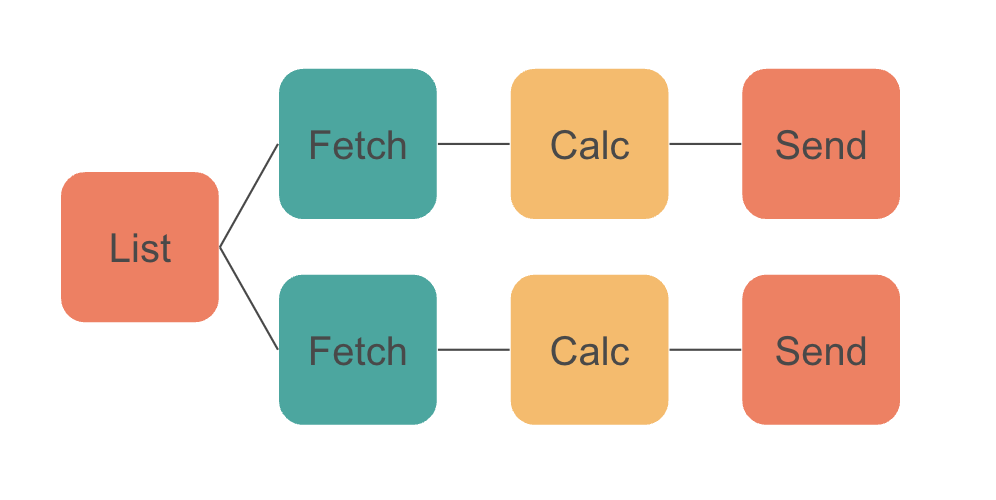
- For the service we're using there is an API for listing projects.
- We’ll then use another API to fetch each project.
- We’ll analyse the response for each project and calculate whether it is within budget.
- We'll send the answer as a metric to an analysis platform.
3. Codify and test
We will not cover the implementation detail here, but the next step is to codify that process with the Opscotch workflow framework.
The Opscotch workflow framework is designed to solve these kinds of problems, offering these attributes:
- reliability (templated)
- repeatability (configured)
- rigor (tested)
- reportability (monitoring)
4. Deploy and let Opscotch do the rest
Once you publish the configuration, Opscotch loads and runs it without ongoing manual effort beyond the initial setup.
The Opscotch Workflow Framework
The Opscotch Workflow Framework provides a schema for defining tasks to execute in order to achieve the goal you've set.
The Opscotch Workflow Framework has the following characteristics:
Reliability - the template
The Opscotch Workflow Framework prescribes a simple template for performing a unit of work known as a workflow step. Steps are chained together into a flow, which can solve all manner of complex tasks.
The Opscotch workflow step is designed around the HTTP request life-cycle:
- prepare the HTTP payload and URL
- execute the HTTP request safely in a controlled, delegated runtime environment
- process the HTTP response
In practice, the step uses the four templated functions introduced earlier: URL generation, payload generation, authentication, and results processing.

Repeatability - the configuration
Opscotch is designed to be repeatedly deployed in terms of:
- being able to repeatedly deploy a workflow to operate against multiple similar systems: you have 10 instances of the same service and you run the same workflow against each service individually
- being able to repeatedly deploy a workflow remotely, without restarts or service redeploys - the workflow automatically reloads on change.
Rigor - testing
Opscotch workflows are designed to be unit tested.
- when authoring: create a test with controlled data.
- when making changes: (including shared libraries) unit tested workflows assert the functionality remains unbroken.
- when upgrading the runtime: workflows can be tested before deployment.
The testing process uses an actual runtime without any special testing mode. As long as the input test data is representative, you know your workflows will work.
Reportability - monitoring
Opscotch reports its operation data for monitoring:
- audit data: contains important information such as calls to new hosts, new metrics etc
- operational logs: to watch for and diagnose problems
- operational metrics: to watch for and diagnose problems
Metrics
Opscotch was initially designed around producing metrics, and metric output remains a core capability.
Opscotch metrics are designed to contain all the information about the metric, including the expected anomaly detection behavior. This allows downstream services to take more informed actions on the data.
Metrics have the following fields:
timestamp: when the metric was producedkey: the name of the metric being reportedvalue: the measured resultdimensionMap: additional metadata that describes the result